Best Free AI Image Generators in 2026: Create Stunning Images for Free
September 1, 2026 · 12 min read
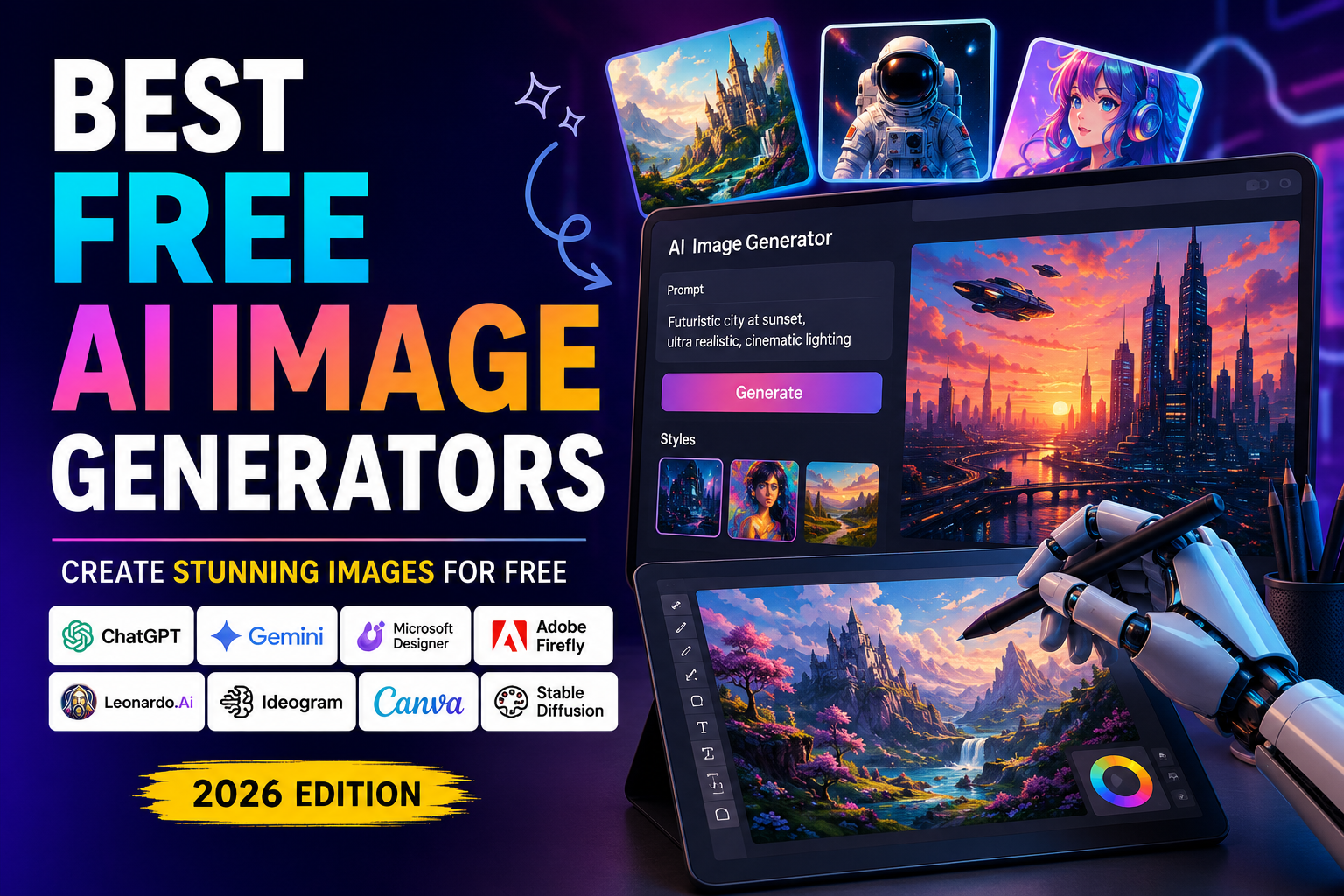
Best Free AI Image Generators in 2026: Create Stunning Images for Free
AI image generators have completely changed the way people create visual content. You no longer need expensive design software, professional photography equipment, or advanced Photoshop skills to create attractive images.
With a simple text prompt, modern AI tools can generate realistic photographs, illustrations, logos, social media graphics, blog images, product concepts, wallpapers, and much more.
The best part? Several powerful AI image generators offer free plans or free credits, making them accessible to students, bloggers, creators, marketers, freelancers, and small businesses.
In this guide, we’ll look at some of the best free AI image generators in 2026, what each tool is good at, its limitations, and which one you should choose.
Quick answer: If you want an easy all-rounder, try ChatGPT or Google Gemini. For design and image editing, Microsoft Designer and Canva are excellent. For text inside images, Ideogram is one of the strongest options. For experimentation and higher-volume generation, Leonardo AI is worth trying.
Table of Contents
- What Is an AI Image Generator?
- Best Free AI Image Generators in 2026
- ChatGPT
- Google Gemini
- Microsoft Designer
- Adobe Firefly
- Leonardo AI
- Ideogram
- Canva AI
- Stable Diffusion
- Best AI Image Generator for Different Uses
- How to Write Better AI Image Prompts
- Are Free AI Images Copyright-Free?
- Final Verdict
- Frequently Asked Questions
What Is an AI Image Generator?
An AI image generator is a tool that uses artificial intelligence to create images from text descriptions.
For example, you could type:
"A futuristic city at night with flying cars, neon lights, cinematic lighting, ultra-realistic photography."
The AI interprets your description and generates an image based on the prompt.
Modern AI image generators can create:
- Photorealistic images
- Digital artwork
- Illustrations
- Product mockups
- Blog graphics
- YouTube thumbnails
- Social media posts
- Wallpapers
- Posters
- Concept art
- Logos and branding concepts
This makes AI image generation useful for both personal and professional projects.
Best Free AI Image Generators in 2026
Here are some of the best options to try:
| AI Image Generator | Best For | Free Access |
|---|---|---|
| ChatGPT | Beginners & general-purpose images | Yes, limited |
| Google Gemini | General image generation | Yes, subject to limits |
| Microsoft Designer | Designs & quick images | Yes |
| Adobe Firefly | Creative & commercial workflows | Yes, limited credits |
| Leonardo AI | Creative artwork & experimentation | Yes, limited tokens |
| Ideogram | Text inside images | Yes, limited |
| Canva AI | Social media & marketing designs | Yes, limited |
| Stable Diffusion | Advanced users & customization | Free/open models |
Free allowances can change over time, so always check the provider's current terms before relying on a particular number of generations.
1. ChatGPT
ChatGPT is one of the easiest options for people who want to create images without learning complicated AI prompting techniques.
You can simply describe what you want in normal language and refine the result through conversation.
Why use ChatGPT for image generation?
You can ask it to:
- Create an image from scratch
- Change an existing concept
- Modify backgrounds
- Change colors and styles
- Create illustrations
- Create blog graphics
- Generate realistic scenes
- Improve or refine a prompt
The conversational workflow is particularly useful for beginners because you don't have to write a perfect prompt on your first attempt.
Best for
Beginners, bloggers, content creators and quick image creation.
Example prompt
"Create a modern 16:9 blog header showing an AI robot creating digital artwork on a computer, futuristic but professional, clean composition, blue and purple lighting."
Pros
- Very easy to use
- Natural-language prompting
- Good for brainstorming and iteration
- Useful for blog and social-media visuals
Cons
- Free usage is limited
- Some advanced features may require a paid plan
2. Google Gemini
Google Gemini is another strong option for people who want AI-generated images without using dedicated design software.
It can understand detailed prompts and is particularly useful when you want to describe an image conversationally.
You can ask Gemini to create an image and then refine the idea by providing additional instructions.
Best for
General-purpose AI image generation and experimentation.
Example prompt
"Create a realistic photograph of a futuristic workspace with a laptop, holographic AI interface, plants and warm natural lighting."
Pros
- Easy to use
- Simple conversational interface
- Good for experimenting with different concepts
- Integrated into Google's AI ecosystem
Cons
- Free usage limits can change
- Availability of specific image features can vary by account and region
3. Microsoft Designer
Microsoft Designer is particularly useful if you don't just want to generate an image but also want to turn it into a usable design.
Microsoft describes Designer as an AI-powered design and image-editing application. Its free plan provides monthly credits for AI-powered creation and editing.
You can use Designer to create:
- Posters
- Social media graphics
- Invitations
- Wallpapers
- Stickers
- Greeting cards
- Marketing graphics
- AI-generated images
You can also edit images, remove unwanted objects, blur backgrounds and add text.
Best for
Bloggers, social-media creators and marketers.
Example prompt
"Create a professional technology blog banner about artificial intelligence, with a futuristic computer, glowing AI graphics and a clean modern background."
Pros
- Free tier available
- Image generation and editing
- Useful design tools
- Good for social media graphics
Cons
- Free credits are limited
- Some advanced features require a Microsoft 365 subscription
4. Adobe Firefly
Adobe Firefly is designed specifically around creative workflows.
It can be useful for generating artwork, experimenting with visual concepts and creating assets that can be further edited in Adobe's ecosystem.
Adobe has positioned Firefly around commercially oriented creative workflows, although you should always check the current terms for the particular Firefly feature and plan you are using.
Best for
Designers, marketers and people already using Adobe products.
Example prompt
"A cinematic photograph of a futuristic electric car driving through a modern city at sunset, realistic reflections, dramatic lighting, premium automotive advertisement."
Pros
- Strong creative workflow
- Adobe ecosystem integration
- Useful image editing capabilities
- Good for professional design workflows
Cons
- Free generations/credits are limited
- Some advanced features require a subscription
5. Leonardo AI
Leonardo AI is popular among creators who want more control over AI-generated artwork.
It is particularly useful for:
- Game assets
- Concept art
- Character designs
- Fantasy artwork
- Digital illustrations
- Creative experiments
Leonardo uses a token-based free system, so the amount of free generation you receive can vary with the current plan and platform rules.
Best for
Digital artists, game developers and creative creators.
Example prompt
"A highly detailed fantasy warrior standing on a mountain overlooking an ancient kingdom, cinematic lighting, dramatic clouds, detailed armor, epic concept art."
Pros
- Good creative control
- Multiple artistic styles
- Useful for concept art
- Good experimentation options
Cons
- Free generation is limited
- Some advanced features are paid
6. Ideogram
If your image needs accurate text, Ideogram deserves special attention.
Generating readable text inside AI-generated images has historically been difficult. Ideogram has become particularly well known for handling typography and text-heavy visuals.
This makes it useful for:
- Posters
- Quotes
- Advertisements
- Social media graphics
- Logos and concepts
- Typography experiments
Best for
Images that contain words or typography.
Example prompt
"A modern motivational poster with the exact text 'BUILD YOUR FUTURE', bold professional typography, dark futuristic background, glowing technology elements."
Pros
- Strong text rendering
- Excellent for posters
- Useful for typography
- Good for marketing concepts
Cons
- Free generation is limited
- Commercial-use terms should be checked before using outputs commercially
7. Canva AI
If you already use Canva, its AI features can be especially convenient.
Instead of generating an image and then opening another application to create a social media post, you can work with the generated visual directly inside a design workflow.
Canva is useful for:
- Instagram posts
- YouTube thumbnails
- Blog graphics
- Presentations
- Posters
- Advertisements
- Social media banners
Best for
Content creators and social media marketers.
Example prompt
"Create a clean futuristic AI technology background for a 16:9 blog header, dark professional design, glowing digital elements, empty space on the left for a title."
Pros
- Easy design workflow
- Templates
- Image generation
- Text and layout tools
- Excellent for social media
Cons
- AI credits/features are limited on free plans
- Some design elements require Canva Pro
8. Stable Diffusion
Stable Diffusion is different from most of the tools on this list.
Instead of depending entirely on a hosted website, Stable Diffusion models can be run locally or through different platforms.
This gives advanced users significantly more control.
You can experiment with:
- Models
- Sampling settings
- Image dimensions
- LoRAs
- ControlNet
- Inpainting
- Outpainting
- Custom workflows
Best for
Advanced users who want maximum control.
Example use case
A developer with a powerful GPU can install a Stable Diffusion workflow and generate images locally without depending on a platform's daily generation quota.
Pros
- Highly customizable
- Local generation is possible
- Huge ecosystem
- Advanced workflows
Cons
- More difficult to set up
- Requires capable hardware for comfortable local generation
- Beginners may find the interface complicated
Which Free AI Image Generator Should You Choose?
The best tool depends on what you are trying to create.
For beginners
ChatGPT
If you don't have experience with AI image generation, start with ChatGPT because you can describe your idea naturally and refine it conversationally.
For social media
Canva or Microsoft Designer
Both are useful when you need an image plus additional text, layouts or marketing elements.
For text inside images
Ideogram
If your image contains a headline, poster text or typography, Ideogram is worth trying first.
For digital art
Leonardo AI
Leonardo is a strong choice for fantasy art, game concepts, characters and illustrations.
For professional creative workflows
Adobe Firefly
Firefly makes the most sense if you already work within Adobe's ecosystem.
For maximum customization
Stable Diffusion
Choose Stable Diffusion if you're comfortable with technical setup and want more control over the generation process.
How to Write Better AI Image Prompts
The quality of your AI-generated image depends heavily on the prompt.
Instead of writing:
"A computer."
Try:
"A modern silver laptop on a minimalist wooden desk, futuristic AI interface visible on the screen, warm natural lighting, realistic photography, shallow depth of field, premium technology advertisement, 16:9 composition."
A good prompt usually describes:
Subject + Environment + Style + Lighting + Camera + Composition
For example:
Subject: futuristic laptop
Environment: modern office
Style: photorealistic
Lighting: cinematic blue lighting
Camera: close-up photography
Composition: 16:9 with empty space for text
This gives the AI much more information to work with.
AI Image Prompt Template
You can use this simple template:
Create a [type of image] showing [subject] in [environment]. Use [style], [lighting], [camera/composition], and [additional details]. The image should be [mood/quality].
Example
Create a cinematic technology photograph showing a developer working on an AI project in a futuristic office. Use photorealistic style, soft blue lighting, shallow depth of field, wide-angle composition, realistic computer screens and a professional atmosphere.
Are Free AI-Generated Images Copyright-Free?
This is one of the most important questions to understand.
Free does not automatically mean copyright-free or unrestricted commercial use.
Different AI services have different terms regarding:
- Commercial usage
- Ownership
- Attribution
- Watermarks
- Public visibility
- Training data
- Generated content
- Paid versus free plans
For example, some platforms may provide commercial rights under specific plans while others impose restrictions on free-tier outputs.
Therefore, if you're creating images for a business, client project, advertisements or a monetized website, always check the current terms of the specific AI generator before using the image commercially.
Tips for Using AI Images on a Blog
If you're using AI-generated images for your website, don't simply generate random pictures.
Use images that support the article.
For example, for an article about AI image generators, you could create:
Image 1 — Hero Image
A futuristic AI system generating multiple types of digital artwork.
Recommended size: 16:9
Image 2 — AI Image Generation Concept
A person entering a text prompt and an AI system generating an image.
Image 3 — Comparison Graphic
A clean visual showing several AI image-generation tools.
Image 4 — Prompt Example
A visual representation of a text prompt transforming into an AI-generated image.
Image 5 — Creative AI Artwork
A high-quality futuristic artwork demonstrating what modern AI image generators can produce.
Using relevant images between sections makes the article easier to read and can also make your blog look significantly more professional.
Final Verdict
There is no single best free AI image generator for everyone.
Your choice should depend on what you need.
If you want the easiest experience, start with ChatGPT or Google Gemini.
If you want to create social-media graphics and marketing designs, try Microsoft Designer or Canva.
If your images need readable text, Ideogram is an excellent option.
For digital artwork and creative experimentation, Leonardo AI is worth exploring.
And if you're technically comfortable and want maximum control, Stable Diffusion gives you far more customization than most simple browser-based generators.
The AI image-generation landscape is changing quickly, so free credits, features and usage policies can change. Before using generated images commercially, always verify the current terms of the service.
Frequently Asked Questions
What is the best free AI image generator in 2026?
There isn't one universal winner. ChatGPT and Gemini are excellent for beginners, Microsoft Designer and Canva are useful for design workflows, Ideogram is strong for text-heavy images, and Leonardo AI is useful for creative artwork.
Can I generate AI images for free?
Yes. Many AI image generators offer free credits or limited free access. However, the number of images you can generate may be restricted.
Which AI image generator is best for blog images?
ChatGPT, Gemini, Microsoft Designer and Adobe Firefly are good choices for blog images. The best option depends on the style you need.
Which AI image generator is best for text?
Ideogram is one of the strongest choices when accurate text inside an image is important.
Can I use AI-generated images on my website?
Usually, but you should check the specific platform's current licensing and commercial-use terms before publishing images on a monetized or commercial website.
Are free AI image generators completely unlimited?
Not necessarily. "Free" can mean daily limits, monthly credits, tokens, slower generation, watermarks, or limited features. Always check the current plan details.
Do I need Photoshop to create AI images?
No. Most modern AI image generators work directly from a browser and only require a text prompt.
Conclusion
AI image generation has made professional-looking visual content much more accessible.
Whether you're a blogger creating featured images, a student working on a presentation, a marketer creating advertisements, or simply someone experimenting with AI art, there are now plenty of free tools to try.
Start with one tool, experiment with different prompts, and compare the results. You may be surprised by how much you can create without spending money.