Best Free AI Tools for Students in 2026: 15+ Tools to Try
August 27, 2026 · 9 min read
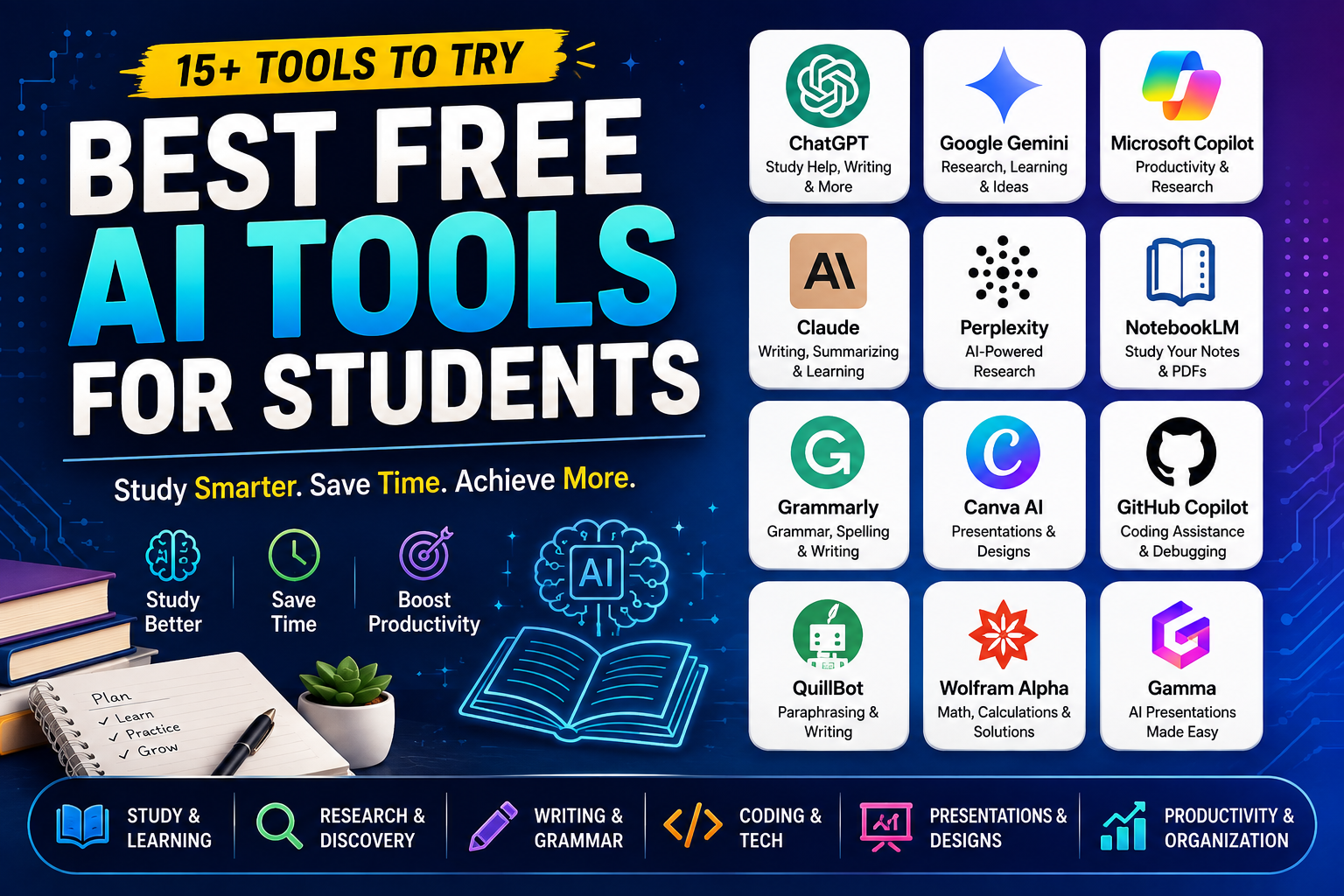
Best Free AI Tools for Students in 2026
AI has quickly become one of the most useful technologies for students. Whether you are preparing for exams, writing assignments, learning programming, creating presentations, researching a topic, or simply trying to understand a difficult concept, the right AI tool can save a lot of time.
The good news is that you don't always need to pay for an AI subscription. There are several free AI tools for students that can help with studying, writing, research, coding, presentations, and productivity.
In this guide, we'll look at some of the best free AI tools for students in 2026, what they can do, and which tool is best for different student needs.
Quick List: Best Free AI Tools for Students
| AI Tool | Best For | Free Option |
|---|---|---|
| ChatGPT | Study help and explanations | Yes |
| Google Gemini | Research and everyday study | Yes |
| Microsoft Copilot | Research and productivity | Yes |
| Claude | Writing and learning | Yes |
| Perplexity | AI-powered research | Yes |
| NotebookLM | Studying from notes and PDFs | Yes |
| Grammarly | Writing and grammar | Yes |
| Canva AI | Presentations and designs | Yes |
| GitHub Copilot | Coding assistance | Free options available |
| QuillBot | Paraphrasing and writing | Yes |
| Wolfram Alpha | Mathematics and calculations | Limited free access |
| Gamma | Presentations | Free option |
Note: Free plans and available features can change over time. Always check the tool's current pricing and usage limits before relying on a specific feature.
1. ChatGPT – Best Overall AI Tool for Students
ChatGPT is one of the most versatile AI tools available for students. Instead of using it only to generate answers, students can use it as an interactive study assistant.
You can ask ChatGPT to explain a difficult topic in simple language, create practice questions, summarize concepts, help debug code, or create a study plan.
What students can use ChatGPT for
- Understanding difficult subjects
- Creating study notes
- Generating practice questions
- Learning programming
- Debugging code
- Summarizing text
- Preparing for interviews
- Brainstorming project ideas
- Improving writing
- Creating study plans
Example prompt
Instead of asking:
"Explain photosynthesis."
Try:
"Explain photosynthesis like I'm a beginner. First explain the basic concept, then give me a real-world example and 5 questions to test my understanding."
This makes AI much more useful as a learning tool.
Best for: Almost every type of student.
2. Google Gemini – Great for Research and Learning
Google Gemini can be useful for students who want an AI assistant for research, brainstorming, writing, and learning.
It can help explain concepts, generate ideas, summarize information, and assist with everyday academic tasks.
Students can also use it to compare different concepts or turn complicated subjects into easier explanations.
Useful tasks
- Researching topics
- Summarizing information
- Brainstorming assignments
- Explaining difficult concepts
- Creating study questions
- Writing assistance
- Generating ideas for projects
Best for: Students who need a general-purpose AI assistant.
3. Microsoft Copilot – Useful for Study and Productivity
Microsoft Copilot is another AI assistant that can help students with research, writing, brainstorming, and productivity.
If you already use Microsoft products such as Word, PowerPoint, or other Microsoft services, Copilot can fit naturally into your workflow depending on the features available in your account.
Students can use it for
- Writing and editing
- Brainstorming
- Research
- Creating ideas for presentations
- Summarizing information
- Productivity tasks
Best for: Students already using Microsoft's ecosystem.
4. Claude – Excellent for Writing and Understanding Long Content
Claude is particularly useful when you need help working with large amounts of text.
Students can use it to understand complicated reading material, improve drafts, brainstorm ideas, and break difficult topics into simpler explanations.
Example use case
Suppose you have a long chapter to study.
You can provide the material and ask:
"Explain this chapter in simple language. Divide it into important concepts, definitions, examples, and exam-focused points."
This can make revision much easier.
Best for: Writing, reading comprehension, and studying long material.
5. Perplexity – Best AI Tool for Research
Perplexity is designed around AI-powered search and research.
Instead of simply giving you a traditional list of search results, it can provide a conversational answer along with sources that you can investigate further.
This makes it particularly useful when starting research for an assignment or project.
Students can use Perplexity for
- Topic research
- Finding sources
- Understanding current events
- Comparing technologies
- Collecting information for projects
- Exploring unfamiliar topics
Important tip
Don't blindly copy AI-generated information into an assignment. Open the cited sources and verify important facts yourself.
Best for: Research and finding information quickly.
6. NotebookLM – Great for Studying Your Own Material
NotebookLM is especially useful when you already have study material such as PDFs, documents, notes, or other supported sources.
Instead of asking a general AI about a topic, you can use your own material as the basis for studying.
For example, if you have a 100-page study PDF, you can use NotebookLM to help you understand and revise the material.
Useful tasks
- Summarizing study material
- Asking questions about documents
- Creating study guides
- Understanding chapters
- Reviewing notes
- Preparing for exams
Best for: Students studying from PDFs, notes, and course material.
7. Grammarly – Best for Writing and Grammar
Good writing matters for assignments, emails, reports, essays, and applications.
Grammarly can help students identify grammar, spelling, punctuation, and writing issues.
It can also help make writing clearer and more professional.
Students can use Grammarly for
- Assignment proofreading
- Grammar checking
- Email writing
- Improving sentence clarity
- Fixing spelling mistakes
- Professional writing
Best for: Students who want to improve their English writing.
8. Canva AI – Best for Presentations and Designs
Creating a good presentation can take a lot of time.
Canva provides templates and AI-powered features that can help students create presentations, posters, diagrams, social media graphics, and other visual content.
Students can use Canva for
- College presentations
- Project posters
- Infographics
- Resume designs
- Educational diagrams
- Presentation layouts
For example, instead of starting a presentation from a blank page, you can generate a basic structure and then customize it yourself.
Best for: Presentations and visual projects.
9. GitHub Copilot – Useful for Programming Students
Programming students can use AI coding assistants to speed up development and understand unfamiliar code.
GitHub Copilot can help generate code suggestions, explain code, and assist with programming tasks.
For example, a beginner learning Python could ask for help understanding a function or fixing an error.
Coding students can use AI for
- Code suggestions
- Debugging
- Explaining code
- Learning programming concepts
- Generating boilerplate code
- Understanding error messages
However, students should avoid blindly accepting AI-generated code.
Always understand what the code does before using it.
Best for: Computer science and programming students.
10. QuillBot – Useful for Paraphrasing and Writing
QuillBot is commonly used for rewriting and paraphrasing text.
Students can use it to improve sentence structure and make their writing clearer.
However, paraphrasing tools should not be used to disguise copied content. If you use information from another source, you should still follow your institution's citation and academic integrity rules.
Best for: Writing improvement and paraphrasing.
11. Wolfram Alpha – Best for Mathematics and Technical Problems
Wolfram Alpha can be particularly useful for students studying mathematics, physics, engineering, statistics, and other technical subjects.
It is designed to work with computational and knowledge-based queries.
Instead of only looking for a final answer, students should use such tools to understand the calculation and methodology.
Useful for
- Mathematical calculations
- Equations
- Algebra
- Statistics
- Scientific calculations
- Technical problems
Best for: Mathematics, science, and engineering students.
12. Gamma – Useful for Creating Presentations
Gamma can help students create presentations and structured visual documents using AI.
Instead of manually creating every slide, students can start with a topic and generate a presentation structure that can then be edited.
Students can use it for
- College presentations
- Project presentations
- Topic summaries
- Visual documents
- Quick presentation drafts
Best for: Students who regularly create presentations.
How to Choose the Best AI Tool for Students
You don't need to use every AI tool available.
The best tool depends on what you're trying to accomplish.
For studying
Use tools such as ChatGPT, Gemini, Claude, and NotebookLM.
For research
Perplexity is a strong option for discovering information and sources.
For writing
ChatGPT, Claude, and Grammarly can help with writing and editing.
For presentations
Canva and Gamma can save time when creating slides and visual content.
For programming
ChatGPT and GitHub Copilot can assist with learning and coding.
For mathematics
Wolfram Alpha can be particularly useful for computational problems.
How Students Can Use AI Without Becoming Dependent on It
AI can save time, but using it incorrectly can actually hurt your learning.
The goal should be to use AI as a study assistant, not as a replacement for studying.
Instead of asking:
"Give me the answer."
Try:
"Give me a hint first."
Or:
"Don't give me the final answer. Explain the concept and let me solve it."
You can also ask AI to quiz you.
For example:
"Act as my teacher. Ask me one question at a time about operating systems. Don't reveal the answer until I attempt it."
This approach turns AI into an interactive learning tool.
Important: Don't Trust AI Answers Blindly
AI tools can sometimes produce incorrect information.
This is especially important for:
- Academic research
- Scientific information
- Statistics
- Historical facts
- Programming
- Citations
- Current events
Always verify important information using reliable sources.
If an AI tool provides a source, open the source and check whether it actually supports the claim.
Are Free AI Tools Really Free?
Most AI platforms use a freemium model.
This means you can use the basic version for free, but some advanced features may require a paid subscription.
Free plans may have limitations such as:
- Daily usage limits
- Limited access to advanced models
- Limited file uploads
- Limited image generation
- Reduced priority
- Fewer advanced features
Therefore, before choosing an AI tool, check what is included in its current free plan.
Best Free AI Tools for Students: Quick Comparison
| Need | Recommended Tool |
|---|---|
| General study help | ChatGPT |
| AI research | Perplexity |
| Studying PDFs | NotebookLM |
| Writing | Claude / ChatGPT |
| Grammar | Grammarly |
| Presentations | Canva / Gamma |
| Coding | GitHub Copilot / ChatGPT |
| Mathematics | Wolfram Alpha |
| Paraphrasing | QuillBot |
| General productivity | Gemini / Copilot |
Final Thoughts
AI tools have made studying faster and more interactive than ever.
The best approach isn't to find one AI tool and use it for everything. Instead, use different tools for different tasks.
For example, you might use ChatGPT for explanations, Perplexity for research, NotebookLM for your study material, Grammarly for writing, Canva for presentations, and a coding assistant for programming.
Most importantly, don't let AI do all the thinking for you.
Use it to learn faster, ask better questions, practice concepts, and understand difficult topics. When used correctly, free AI tools can become a powerful addition to your study routine.
Frequently Asked Questions
What is the best free AI tool for students?
ChatGPT is one of the most versatile options because it can help with studying, writing, coding, brainstorming, and explanations. However, the best tool depends on your specific requirement.
Which AI tool is best for research?
Perplexity is a useful option for AI-assisted research because it combines conversational answers with sources that you can investigate.
Can students use AI tools for assignments?
Yes, AI can be used as a learning and writing assistant, but students should follow their school's or university's academic-integrity policies. Don't submit AI-generated work as your own when your institution prohibits it.
Which AI tool is best for studying PDFs?
NotebookLM is particularly useful for working with your own documents and study material.
Are these AI tools completely free?
Not necessarily. Most offer free access with limitations, while some features may require a paid plan. Features and limits can change over time.
Can AI replace teachers?
No. AI can explain concepts, provide practice questions, and act as a study assistant, but teachers provide human judgment, context, feedback, mentorship, and personalized instruction that AI cannot fully replace.